


How to add a skill in ChatGPT
On chatgpt.com, in a few clicks. No coding.
Checked on Nov 17, 2026. Screens may look a little different for you. Red outlines are added by Promptu.
Before you start
- A ChatGPT account with Skills turned on. If you don’t see Plugins in the sidebar, your plan or workspace may not have it yet.
- The skill file (SKILL.md) from the guide. Use “Download SKILL.md” on Promptu, or copy its text.
Add a skill
- 1
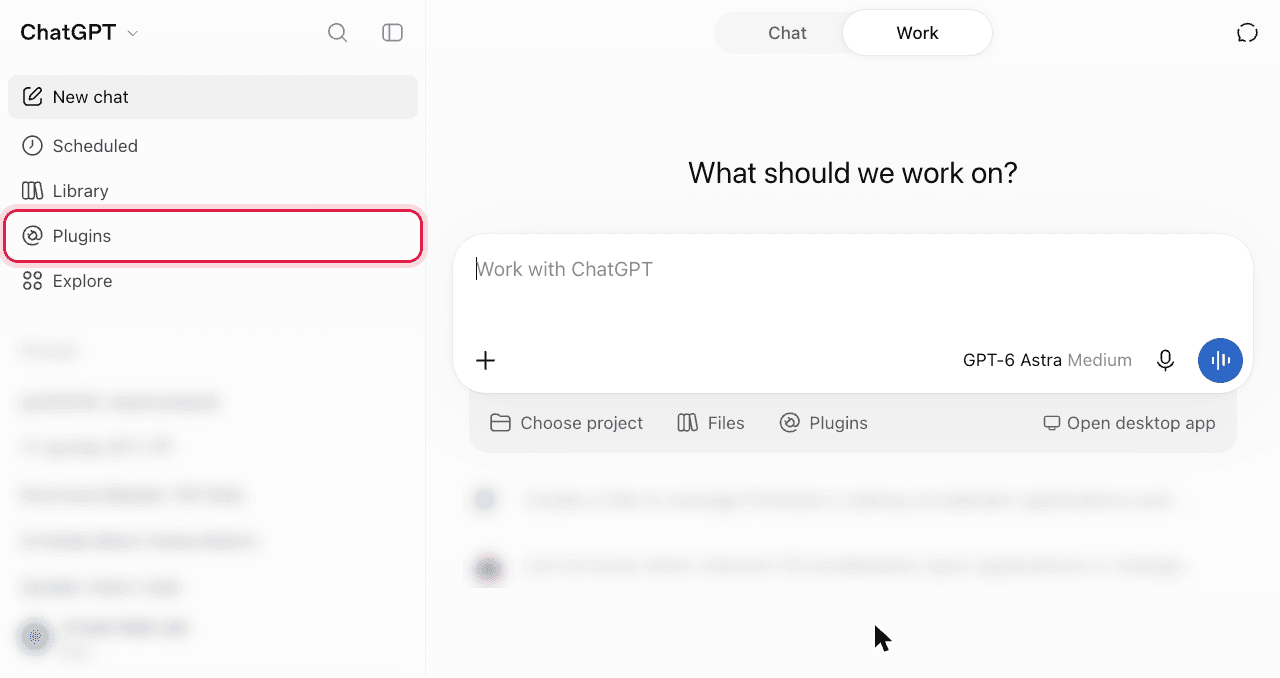
Open Plugins
In the left sidebar, select Plugins.
- 2
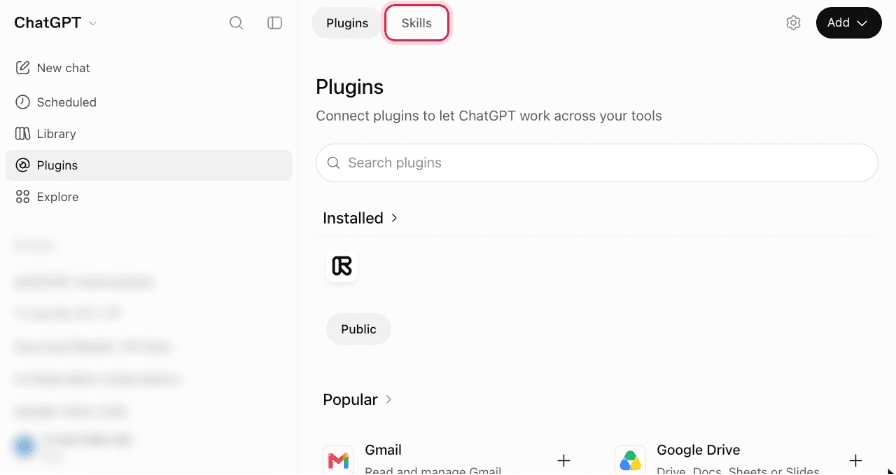
Go to the Skills tab
At the top of the page, switch from Plugins to Skills.
- 3
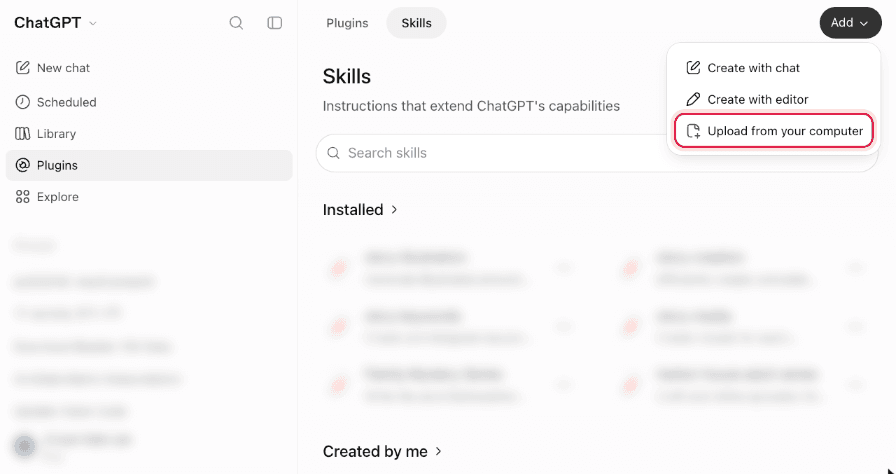
Select Add → Upload from your computer
Pick the SKILL.md you downloaded. No file? Choose “Create with editor” instead and paste the skill text (next step).
- 4
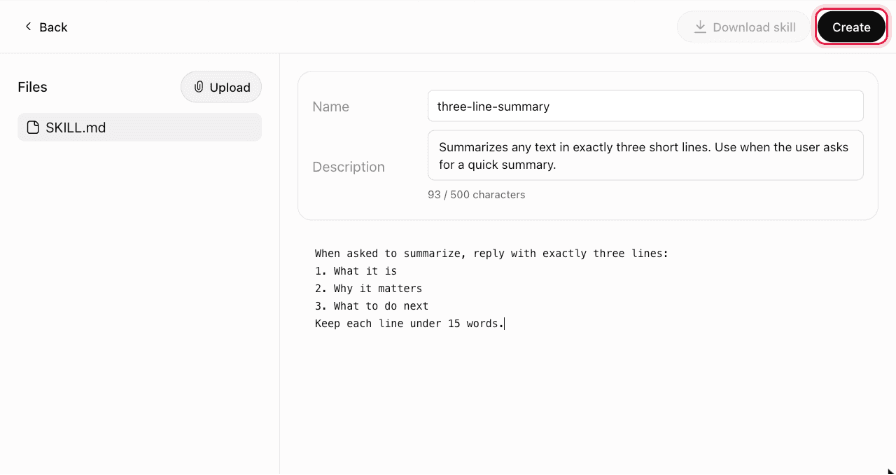
Check it and select Create
You’ll see the skill’s name, description and instructions. If you chose the editor, paste the name, description and instructions here. Then select Create.
- 5
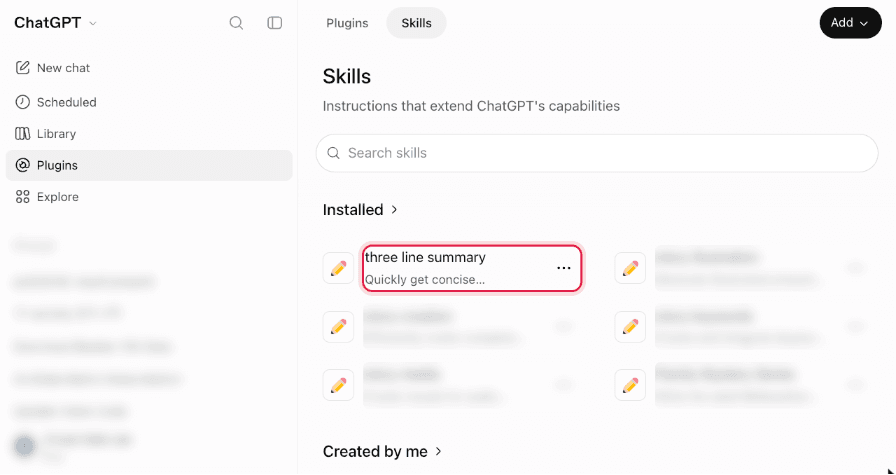
Find it under Installed
Back on Skills, the new skill is listed under Installed. Use the ⋯ menu on it to edit, uninstall or delete it later.
Use it
- 1
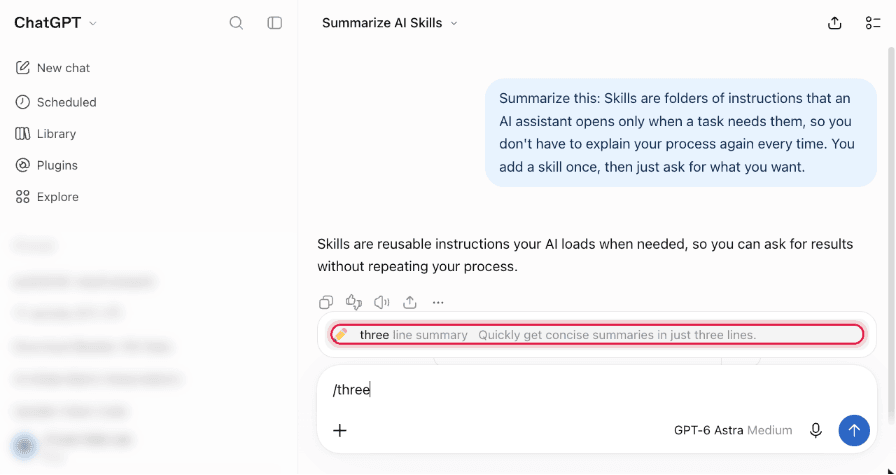
Type / and pick the skill
In a new chat, type / and the start of the skill’s name. Choose it from the Skills list. In our test, ChatGPT didn’t use the skill for a plain request, so picking it is the reliable way.
- 2
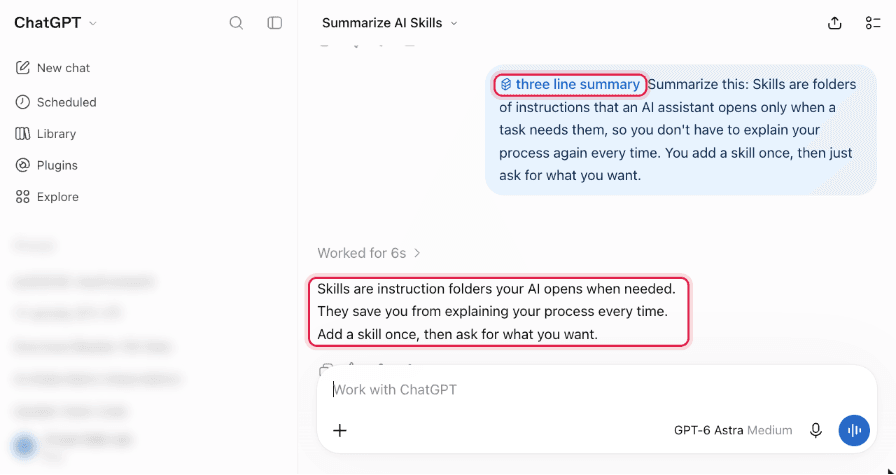
Write your request and send
The skill shows as a chip in your message. ChatGPT follows its instructions in the answer.
Something different on your screen?
- I don’t see Plugins in the sidebar.
- Skills may not be on your plan or workspace yet. On a work account, ask your admin.
- ChatGPT ignored the skill.
- Type / and pick the skill before your request instead of only describing the task.
- I use the desktop app.
- Skills added on the web may not appear in the desktop app. Add it there too.
Using another app? Claude · Claude Code