


How to add a skill in Claude
On claude.ai or the Claude desktop app. No coding.
Checked on Nov 17, 2026. Screens may look a little different for you. Red outlines are added by Promptu.
Before you start
- A paid Claude plan (Pro, Max, Team or Enterprise). On Team or Enterprise, an owner may need to allow skills.
- Code execution / file creation turned on in Settings → Capabilities. Skills run in Claude’s sandbox.
- For your own skill: the SKILL.md from the guide (“Download SKILL.md” on Promptu). Ready-made skills need no file.
Add a skill
- 1
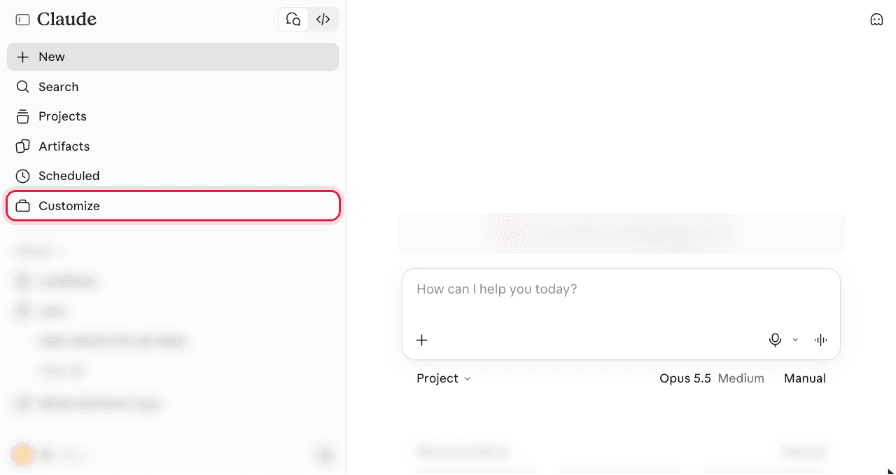
Open Customize
In the left sidebar, select Customize. It opens on Skills.
- 2
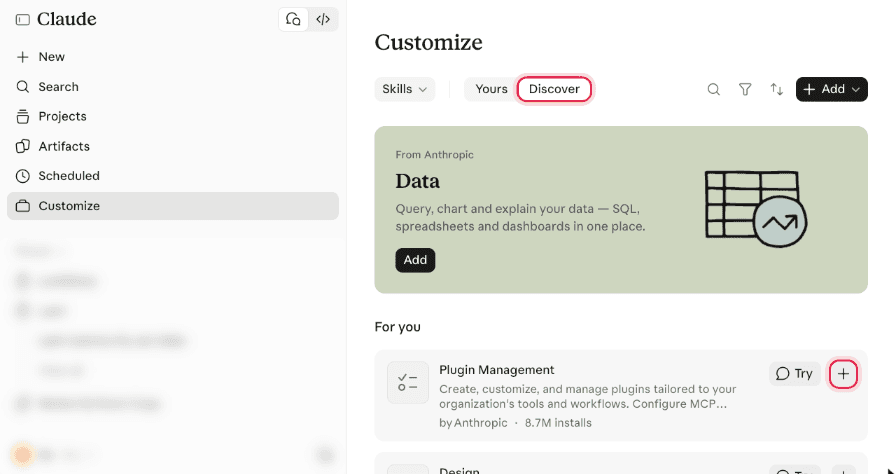
Ready-made skill? Use Discover
Skills from Anthropic and partners (like the ones in many guides) are on the Discover tab. Select + on a skill to add it. That’s it.
- 3
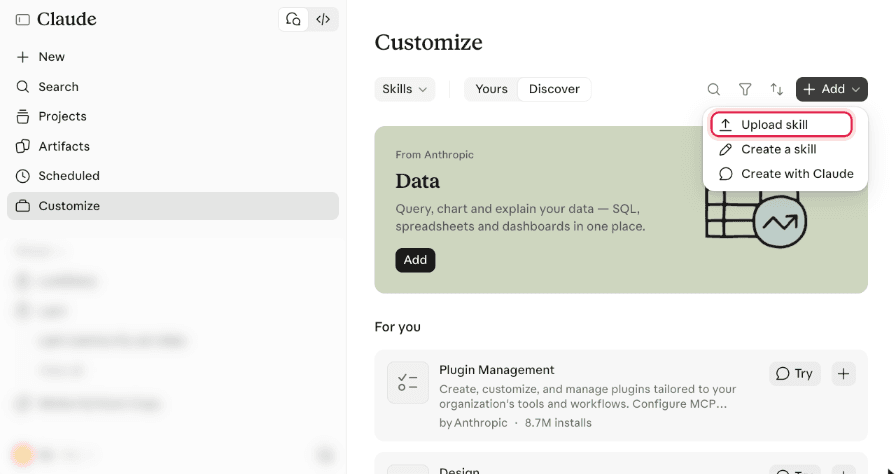
Your own file: Add → Upload skill
At the top right, select Add, then Upload skill.
- 4
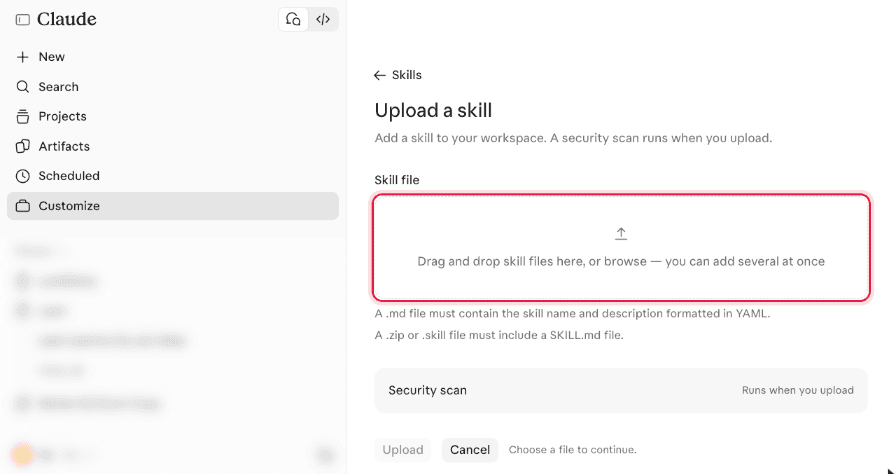
Drop in the SKILL.md
Drag the file in, or select browse. A .md file works on its own; a .zip or .skill file must have SKILL.md inside.
- 5
Check the preview and select Upload
Claude shows the skill’s name and description. Select Upload at the bottom. A security scan runs.
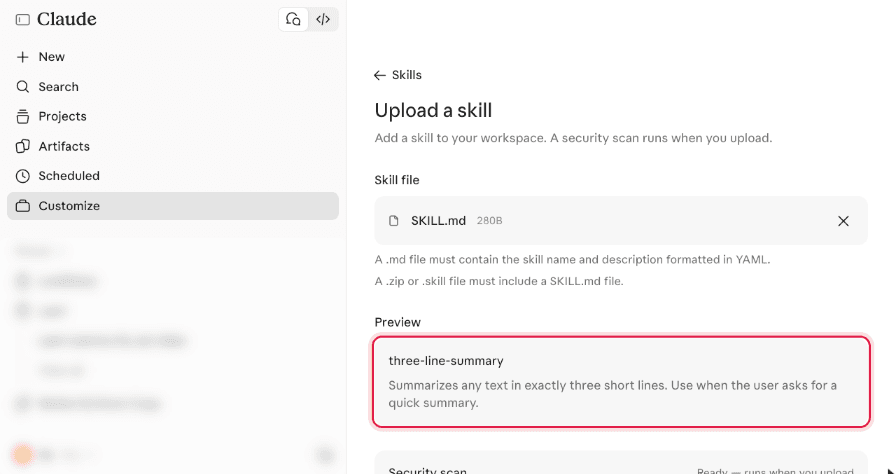
- 6
Make sure it’s on
The skill opens with its switch on. You can turn it off here anytime, or select Try in chat.
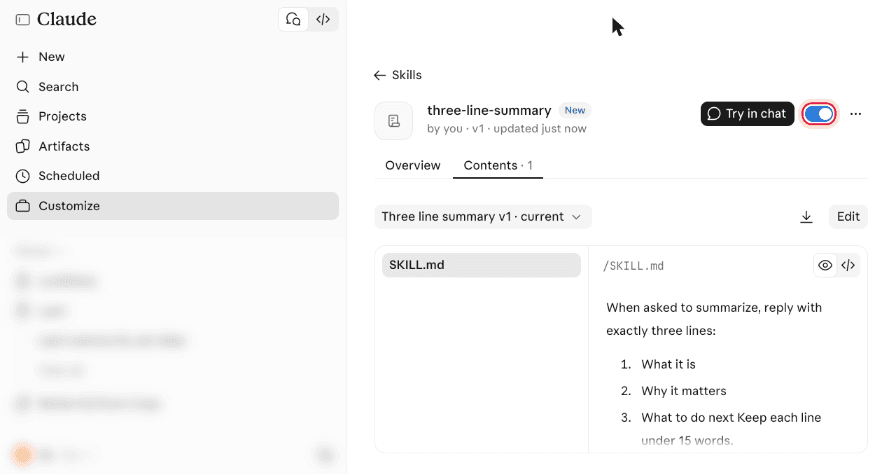
Use it
- 1
Just ask in a new chat
You don’t need to name the skill. When your request matches its description, Claude loads it: you’ll see “Loaded skill …” above the answer.
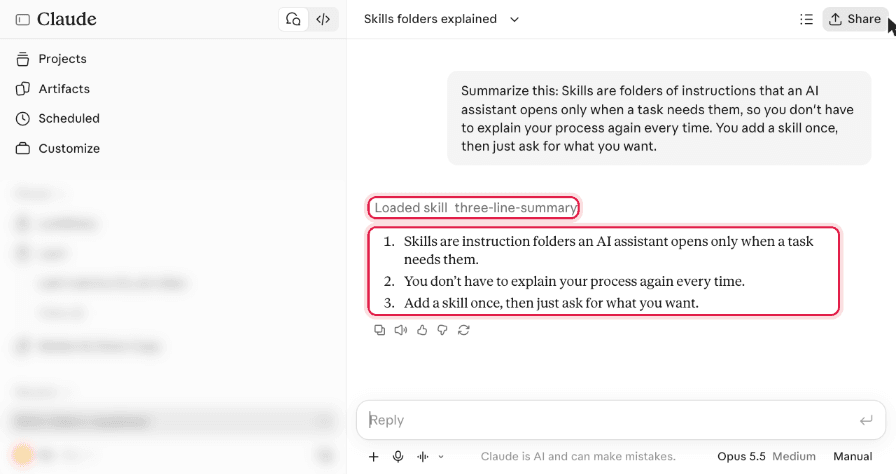
Something different on your screen?
- I don’t see Skills under Customize.
- Check your plan, and turn on code execution in Settings → Capabilities. On Team/Enterprise, ask an owner.
- Upload says the file is invalid.
- A .md must start with a YAML header with name and description. A .zip must contain a folder with SKILL.md.
- Claude didn’t use the skill.
- Make sure its switch is on, and ask in words close to the skill’s description, or say “use the <name> skill”.
Using another app? ChatGPT · Claude Code